|
Robot Framework Integrated Development Environment (RIDE)
|


|
|
Robot Framework Integrated Development Environment (RIDE)
|
|
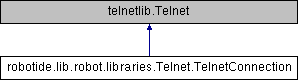
Public Member Functions | |
| def | __init__ (self, host=None, port=23, timeout=3.0, newline='CRLF', prompt=None, prompt_is_regexp=False, encoding='UTF-8', encoding_errors='ignore', default_log_level='INFO', window_size=None, environ_user=None, terminal_emulation=False, terminal_type=None, telnetlib_log_level='TRACE', connection_timeout=None) |
| def | close_connection (self, loglevel=None) |
| Closes the current Telnet connection. More... | |
| def | execute_command (self, command, loglevel=None, strip_prompt=False) |
Executes the given command and reads, logs, and returns everything until the prompt. More... | |
| def | login (self, username, password, login_prompt='login:', password_prompt='Password:', login_timeout='1 second', login_incorrect='Login incorrect') |
| Logs in to the Telnet server with the given user information. More... | |
| def | msg (self, msg, *args) |
| def | read (self, loglevel=None) |
| Reads everything that is currently available in the output. More... | |
| def | read_until (self, expected, loglevel=None) |
Reads output until expected text is encountered. More... | |
| def | read_until_prompt (self, loglevel=None, strip_prompt=False) |
| Reads output until the prompt is encountered. More... | |
| def | read_until_regexp (self, *expected) |
Reads output until any of the expected regular expressions match. More... | |
| def | set_default_log_level (self, level) |
Sets the default log level used for logging in the current connection. More... | |
| def | set_encoding (self, encoding=None, errors=None) |
Sets the encoding to use for writing and reading in the current connection. More... | |
| def | set_newline (self, newline) |
Sets the newline used by Write keyword in the current connection. More... | |
| def | set_prompt (self, prompt, prompt_is_regexp=False) |
Sets the prompt used by Read Until Prompt and Login in the current connection. More... | |
| def | set_telnetlib_log_level (self, level) |
Sets the log level used for logging in the underlying telnetlib. More... | |
| def | set_timeout (self, timeout) |
| Sets the timeout used for waiting output in the current connection. More... | |
| def | write (self, text, loglevel=None) |
| Writes the given text plus a newline into the connection. More... | |
| def | write_bare (self, text) |
| Writes the given text, and nothing else, into the connection. More... | |
| def | write_control_character (self, character) |
| Writes the given control character into the connection. More... | |
| def | write_until_expected_output (self, text, expected, timeout, retry_interval, loglevel=None) |
Writes the given text repeatedly, until expected appears in the output. More... | |
Static Public Attributes | |
| float | INTERNAL_UPDATE_FREQUENCY = 0.03 |
| string | NEW_ENVIRON_IS = b'\x00' |
| string | NEW_ENVIRON_VALUE = b'\x01' |
| string | NEW_ENVIRON_VAR = b'\x00' |
Properties | |
| _terminal_frequency = property | |
Private Member Functions | |
| def | _check_terminal_emulation (self, terminal_emulation) |
| def | _convert_control_code_name_to_character (self, name) |
| def | _custom_timeout (self, timeout) |
| def | _decode (self, bytes) |
| def | _encode (self, text) |
| def | _get_control_character (self, int_or_name) |
| def | _get_newline_for (self, text) |
| def | _is_valid_log_level (self, level) |
| def | _log (self, msg, level=None) |
| def | _negotiate_options (self, sock, cmd, opt) |
| def | _opt_dont_and_wont (self, cmd, opt) |
| def | _opt_echo_on (self, opt) |
| def | _opt_environ_user (self, opt, environ_user) |
| def | _opt_terminal_type (self, opt, terminal_type) |
| def | _opt_window_size (self, opt, window_x, window_y) |
| def | _prompt_is_set (self) |
| def | _read_until (self, expected) |
| def | _read_until_prompt (self) |
| def | _read_until_regexp (self, *expected) |
| def | _set_default_log_level (self, level) |
| def | _set_encoding (self, encoding, errors) |
| def | _set_newline (self, newline) |
| def | _set_prompt (self, prompt, prompt_is_regexp) |
| def | _set_telnetlib_log_level (self, level) |
| def | _set_timeout (self, timeout) |
| def | _strip_prompt (self, output) |
| def | _submit_credentials (self, username, password, login_prompt, password_prompt) |
| def | _telnet_read_until_regexp (self, expected_list) |
| def | _terminal_frequency (self) |
| def | _terminal_read_until (self, expected) |
| def | _terminal_read_until_regexp (self, expected_list) |
| def | _to_byte_regexp (self, exp) |
| def | _verify_connection (self) |
| def | _verify_login_without_prompt (self, delay, incorrect) |
Private Attributes | |
| _default_log_level | |
| _encoding | |
| _environ_user | |
| _newline | |
| _opt_responses | |
| _prompt | |
| _telnetlib_log_level | |
| _terminal_emulator | |
| _terminal_type | |
| _timeout | |
| _window_size | |
| def robotide.lib.robot.libraries.Telnet.TelnetConnection.__init__ | ( | self, | |
host = None, |
|||
port = 23, |
|||
timeout = 3.0, |
|||
newline = 'CRLF', |
|||
prompt = None, |
|||
prompt_is_regexp = False, |
|||
encoding = 'UTF-8', |
|||
encoding_errors = 'ignore', |
|||
default_log_level = 'INFO', |
|||
window_size = None, |
|||
environ_user = None, |
|||
terminal_emulation = False, |
|||
terminal_type = None, |
|||
telnetlib_log_level = 'TRACE', |
|||
connection_timeout = None |
|||
| ) |
|
private |
|
private |
|
private |
|
private |
|
private |
|
private |
|
private |
|
private |
|
private |
|
private |
|
private |
|
private |
|
private |
|
private |
|
private |
|
private |
|
private |
|
private |
|
private |
|
private |
|
private |
|
private |
|
private |
|
private |
|
private |
|
private |
|
private |
|
private |
|
private |
|
private |
|
private |
|
private |
|
private |
|
private |
| def robotide.lib.robot.libraries.Telnet.TelnetConnection.close_connection | ( | self, | |
loglevel = None |
|||
| ) |
Closes the current Telnet connection.
    Remaining output in the connection is read, logged, and returned.
    It is not an error to close an already closed connection.

    Use `Close All Connections` if you want to make sure all opened
    connections are closed.

    See `Logging` section for more information about log levels.
| def robotide.lib.robot.libraries.Telnet.TelnetConnection.execute_command | ( | self, | |
| command, | |||
loglevel = None, |
|||
strip_prompt = False |
|||
| ) |
Executes the given command and reads, logs, and returns everything until the prompt.
    This keyword requires the prompt to be [#Configuration|configured]
    either in `importing` or with `Open Connection` or `Set Prompt` keyword.

    This is a convenience keyword that uses `Write` and `Read Until Prompt`
    internally. Following two examples are thus functionally identical:

    | ${out} = | `Execute Command`   | pwd |

    | `Write`  | pwd                 |
    | ${out} = | `Read Until Prompt` |

    See `Logging` section for more information about log levels and `Read
    Until Prompt` for more information about the ``strip_prompt`` parameter.
| def robotide.lib.robot.libraries.Telnet.TelnetConnection.login | ( | self, | |
| username, | |||
| password, | |||
login_prompt = 'login: ', |
|||
password_prompt = 'Password: ', |
|||
login_timeout = '1 second', |
|||
login_incorrect = 'Login incorrect' |
|||
| ) |
Logs in to the Telnet server with the given user information.
    This keyword reads from the connection until the ``login_prompt`` is
    encountered and then types the given ``username``. Then it reads until
    the ``password_prompt`` and types the given ``password``. In both cases
    a newline is appended automatically and the connection specific
    timeout used when waiting for outputs.

    How logging status is verified depends on whether a prompt is set for
    this connection or not:

    1) If the prompt is set, this keyword reads the output until the prompt
    is found using the normal timeout. If no prompt is found, login is
    considered failed and also this keyword fails. Note that in this case
    both ``login_timeout`` and ``login_incorrect`` arguments are ignored.

    2) If the prompt is not set, this keywords sleeps until ``login_timeout``
    and then reads all the output available on the connection. If the
    output contains ``login_incorrect`` text, login is considered failed
    and also this keyword fails.

    See `Configuration` section for more information about setting
    newline, timeout, and prompt.
| def robotide.lib.robot.libraries.Telnet.TelnetConnection.msg | ( | self, | |
| msg, | |||
| * | args | ||
| ) |
| def robotide.lib.robot.libraries.Telnet.TelnetConnection.read | ( | self, | |
loglevel = None |
|||
| ) |
| def robotide.lib.robot.libraries.Telnet.TelnetConnection.read_until | ( | self, | |
| expected, | |||
loglevel = None |
|||
| ) |
Reads output until expected text is encountered.
    Text up to and including the match is returned and logged. If no match
    is found, this keyword fails. How much to wait for the output depends
    on the [#Configuration|configured timeout].

    See `Logging` section for more information about log levels. Use
    `Read Until Regexp` if more complex matching is needed.
| def robotide.lib.robot.libraries.Telnet.TelnetConnection.read_until_prompt | ( | self, | |
loglevel = None, |
|||
strip_prompt = False |
|||
| ) |
Reads output until the prompt is encountered.
    This keyword requires the prompt to be [#Configuration|configured]
    either in `importing` or with `Open Connection` or `Set Prompt` keyword.

    By default, text up to and including the prompt is returned and logged.
    If no prompt is found, this keyword fails. How much to wait for the
    output depends on the [#Configuration|configured timeout].

    If you want to exclude the prompt from the returned output, set
    ``strip_prompt`` to a true value (see `Boolean arguments`). If your
    prompt is a regular expression, make sure that the expression spans the
    whole prompt, because only the part of the output that matches the
    regular expression is stripped away.

    See `Logging` section for more information about log levels.
| def robotide.lib.robot.libraries.Telnet.TelnetConnection.read_until_regexp | ( | self, | |
| * | expected | ||
| ) |
Reads output until any of the expected regular expressions match.
    This keyword accepts any number of regular expressions patterns or
    compiled Python regular expression objects as arguments. Text up to
    and including the first match to any of the regular expressions is
    returned and logged. If no match is found, this keyword fails. How much
    to wait for the output depends on the [#Configuration|configured timeout].

    If the last given argument is a [#Logging|valid log level], it is used
    as ``loglevel`` similarly as with `Read Until` keyword.

    See the documentation of
    [http://docs.python.org/library/re.html|Python re module]
    for more information about the supported regular expression syntax.
    Notice that possible backslashes need to be escaped in Robot Framework
    test data.

    Examples:
    | `Read Until Regexp` | (#|$) |
    | `Read Until Regexp` | first_regexp | second_regexp |
    | `Read Until Regexp` | \\\\d{4}-\\\\d{2}-\\\\d{2} | DEBUG |
| def robotide.lib.robot.libraries.Telnet.TelnetConnection.set_default_log_level | ( | self, | |
| level | |||
| ) |
| def robotide.lib.robot.libraries.Telnet.TelnetConnection.set_encoding | ( | self, | |
encoding = None, |
|||
errors = None |
|||
| ) |
Sets the encoding to use for writing and reading in the current connection.
    The given ``encoding`` specifies the encoding to use when written/read
    text is encoded/decoded, and ``errors`` specifies the error handler to
    use if encoding/decoding fails. Either of these can be omitted and in
    that case the old value is not affected. Use string ``NONE`` to disable
    encoding altogether.

    See `Configuration` section for more information about encoding and
    error handlers, as well as global and connection specific configuration
    in general.

    The old values are returned and can be used to restore the encoding
    and the error handler later. See `Set Prompt` for a similar example.

    If terminal emulation is used, the encoding can not be changed on an open
    connection.
| def robotide.lib.robot.libraries.Telnet.TelnetConnection.set_newline | ( | self, | |
| newline | |||
| ) |
Sets the newline used by Write keyword in the current connection.
    The old newline is returned and can be used to restore the newline later.
    See `Set Timeout` for a similar example.

    If terminal emulation is used, the newline can not be changed on an open
    connection.

    See `Configuration` section for more information about global and
    connection specific configuration.
| def robotide.lib.robot.libraries.Telnet.TelnetConnection.set_prompt | ( | self, | |
| prompt, | |||
prompt_is_regexp = False |
|||
| ) |
Sets the prompt used by Read Until Prompt and Login in the current connection.
    If ``prompt_is_regexp`` is given a true value (see `Boolean arguments`),
    the given ``prompt`` is considered to be a regular expression.

    The old prompt is returned and can be used to restore the prompt later.

    Example:
    | ${prompt} | ${regexp} = | `Set Prompt` | $ |
    | `Do Something` |
    | `Set Prompt` | ${prompt} | ${regexp} |

    See the documentation of
    [http://docs.python.org/library/re.html|Python re module]
    for more information about the supported regular expression syntax.
    Notice that possible backslashes need to be escaped in Robot Framework
    test data.

    See `Configuration` section for more information about global and
    connection specific configuration.
| def robotide.lib.robot.libraries.Telnet.TelnetConnection.set_telnetlib_log_level | ( | self, | |
| level | |||
| ) |
| def robotide.lib.robot.libraries.Telnet.TelnetConnection.set_timeout | ( | self, | |
| timeout | |||
| ) |
Sets the timeout used for waiting output in the current connection.
    Read operations that expect some output to appear (`Read Until`, `Read
    Until Regexp`, `Read Until Prompt`, `Login`) use this timeout and fail
    if the expected output does not appear before this timeout expires.

    The ``timeout`` must be given in `time string format`. The old timeout
    is returned and can be used to restore the timeout later.

    Example:
    | ${old} =       | `Set Timeout` | 2 minute 30 seconds |
    | `Do Something` |
    | `Set Timeout`  | ${old}  |

    See `Configuration` section for more information about global and
    connection specific configuration.
| def robotide.lib.robot.libraries.Telnet.TelnetConnection.write | ( | self, | |
| text, | |||
loglevel = None |
|||
| ) |
Writes the given text plus a newline into the connection.
    The newline character sequence to use can be [#Configuration|configured]
    both globally and per connection basis. The default value is ``CRLF``.

    This keyword consumes the written text, until the added newline, from
    the output and logs and returns it. The given text itself must not
    contain newlines. Use `Write Bare` instead if either of these features
    causes a problem.

    *Note:* This keyword does not return the possible output of the executed
    command. To get the output, one of the `Read ...` `keywords` must be
    used. See `Writing and reading` section for more details.

    See `Logging` section for more information about log levels.
| def robotide.lib.robot.libraries.Telnet.TelnetConnection.write_bare | ( | self, | |
| text | |||
| ) |
| def robotide.lib.robot.libraries.Telnet.TelnetConnection.write_control_character | ( | self, | |
| character | |||
| ) |
Writes the given control character into the connection.
    The control character is prepended with an IAC (interpret as command)
    character.

    The following control character names are supported: BRK, IP, AO, AYT,
    EC, EL, NOP. Additionally, you can use arbitrary numbers to send any
    control character.

    Example:
    | Write Control Character | BRK | # Send Break command |
    | Write Control Character | 241 | # Send No operation command |
| def robotide.lib.robot.libraries.Telnet.TelnetConnection.write_until_expected_output | ( | self, | |
| text, | |||
| expected, | |||
| timeout, | |||
| retry_interval, | |||
loglevel = None |
|||
| ) |
Writes the given text repeatedly, until expected appears in the output.
    ``text`` is written without appending a newline and it is consumed from
    the output before trying to find ``expected``. If ``expected`` does not
    appear in the output within ``timeout``, this keyword fails.

    ``retry_interval`` defines the time to wait ``expected`` to appear before
    writing the ``text`` again. Consuming the written ``text`` is subject to
    the normal [#Configuration|configured timeout].

    Both ``timeout`` and ``retry_interval`` must be given in `time string
    format`. See `Logging` section for more information about log levels.

    Example:
    | Write Until Expected Output | ps -ef| grep myprocess\\r\\n | myprocess |
    | ...                         | 5 s                          | 0.5 s     |

    The above example writes command ``ps -ef | grep myprocess\\r\\n`` until
    ``myprocess`` appears in the output. The command is written every 0.5
    seconds and the keyword fails if ``myprocess`` does not appear in
    the output in 5 seconds.
|
private |
|
private |
|
private |
|
private |
|
private |
|
private |
|
private |
|
private |
|
private |
|
private |
|
private |
|
static |
|
static |
|
static |
|
static |
|
staticprivate |
 1.9.1
1.9.1